Unleash Your Inner Architect: Crafting the Ultimate Wall-Mounted PC Setup
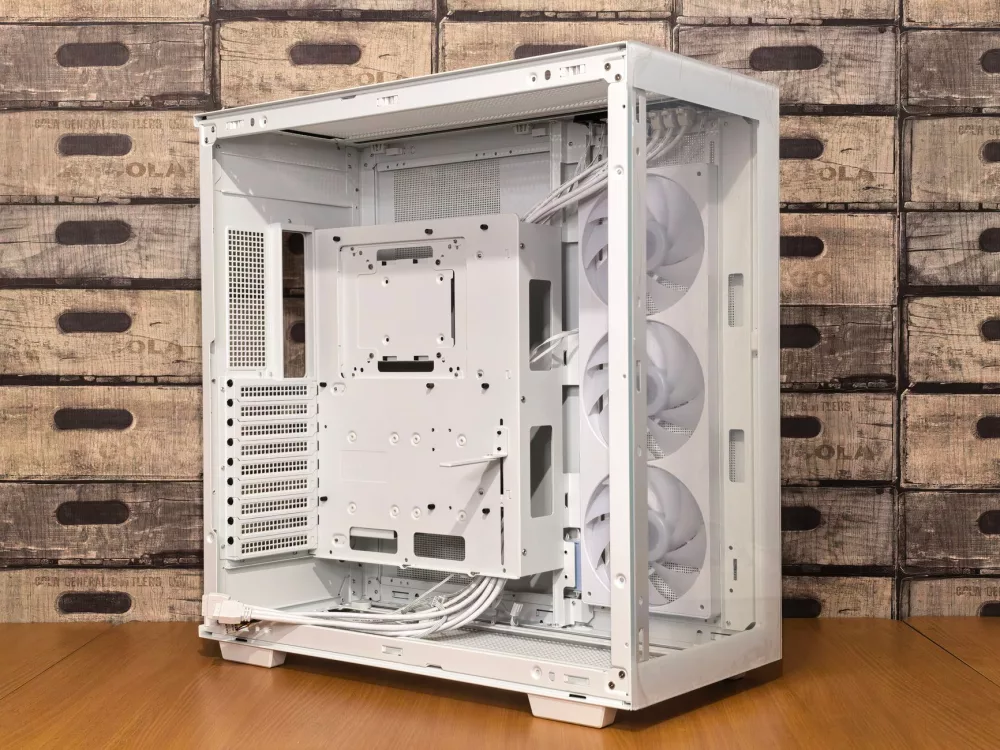
I've got to tell you, there's just something incredibly captivating about a wall-mounted PC. It's not just a computer; it's a statement piece, a work of art, a bold declaration that says, 'Yeah, I love technology, and I'm not afraid to show it off.' For years, our PCs have been relegated to dusty corners, tucked under desks, or hidden away in chunky cases. But what if we could elevate them, literally, to a position of prominence? That's exactly what a wall-mounted PC does, and I'm absolutely obsessed with the concept.
Why Even Think About a Wall-Mounted PC?
You might be asking yourself, 'Why would anyone bother doing this?' And that's a fair question! But trust me, the reasons are pretty compelling once you start looking into it. When I first stumbled upon images of these setups, my jaw just about hit the floor. The sleek lines, the visible components, the sheer audacity of it all – it immediately sparked my imagination. It's more than just aesthetics, though; there are some seriously practical benefits, too.
Space-Saving Brilliance
Let's talk about real estate, specifically desk real estate. My desk, like many people's, used to be a battleground of monitors, keyboards, mice, and that hulking PC tower hogging precious space. Moving the PC to the wall completely transforms your workspace. Suddenly, there's room for actual work, or more monitors, or maybe even just a nice plant. It's a game-changer for smaller rooms or anyone who just craves a cleaner, more organized setup. I remember thinking, 'Where did all this extra space come from?' after I saw my first wall-mount build.
The Ultimate Showcase for Your Hardware
We spend a good chunk of change on our components, right? Those fancy RGB RAM sticks, that monstrous GPU, the intricate custom water-cooling loop – why hide them away? A wall-mounted PC turns your internal hardware into a display. It's like having the hood of a sports car permanently open, letting everyone admire the engine. For enthusiasts like me, being able to gaze upon those meticulously chosen parts, spinning fans, and glowing LEDs is just pure joy. It really makes your PC feel like a bespoke creation rather than just another box.
Cooling, Glorious Cooling
One of the less obvious but hugely significant advantages is cooling. With an open-air design, which many wall-mounted setups naturally adopt, your components breathe incredibly well. No more stuffy cases where hot air gets trapped. You get fantastic passive airflow, and if you integrate fans, they're often more effective at dissipating heat. My CPU temperatures dropped a noticeable few degrees after I switched from a traditional case to a more open setup, which was a pleasant surprise.
The Journey: DIY vs. Pre-Built Options
So, you're convinced, you want a wall-mounted PC. Now what? You've essentially got two main paths: building it yourself from scratch or opting for a pre-designed open-air chassis.
- DIY: The Artisan's Path: This is where the true creativity shines. You can literally craft a custom backboard from wood, acrylic, or metal, then strategically mount your components. This path offers unparalleled customization. You choose the layout, the materials, the colors – everything. It's incredibly rewarding, though it demands patience, a good bit of planning, and some basic DIY skills. I've seen some absolutely stunning wooden builds that look like modern art.
- Pre-Built Open-Air Chassis: Companies like Thermaltake, Lian Li, and others offer cases specifically designed to be open-air and often wall-mountable. These are fantastic for those who want the aesthetic without the heavy lifting of designing a mounting solution themselves. They come with all the necessary brackets and standoffs, simplifying the build process significantly. They might not offer the same level of unique customization as a full DIY project, but they provide a professional and polished look with much less hassle.
Key Considerations and What I've Learned
Before you jump in, there are a few things I really think you should consider. I learned some of these the hard way, so hopefully, my experience saves you some headaches.
Cable Management is Everything
Seriously, it is. In a traditional case, you can hide a mess of cables behind the motherboard tray. On a wall-mounted PC, almost everything is visible. Poor cable management will absolutely ruin the aesthetic you're aiming for. Plan your cable runs meticulously. Use zip ties, cable combs, and custom-sleeved cables if your budget allows. Think about routing them through the wall if you can, or running them neatly along channels. This is where attention to detail really pays off.
Dust, The Eternal Foe
An open-air design means more exposure to dust. It's a fact of life. You'll need to clean your components more regularly than you would with a closed case. Think about where you're mounting it – away from high-traffic areas if possible. Compressed air is your best friend here, and a soft brush for gentle dusting. I keep a can of air handy and give it a quick blast every month or so.
Mounting Stability and Weight
Your PC, especially with a beefy GPU and a large power supply, can be surprisingly heavy. You absolutely must ensure your wall mount is secure and properly anchored into studs. Don't rely on drywall anchors alone for a heavy build; that's just asking for trouble. Double-check your measurements, use quality mounting hardware, and perhaps even have a friend help you lift and position it.
Noise Levels
Without the dampening effect of a case, your fans and pump noises will be more audible. If you're sensitive to noise, invest in quiet fans and perhaps a silent pump for your water-cooling loop. This isn't usually a deal-breaker for most, but it's something to be aware of.
The Wall Itself
Consider the wall you're using. Is it painted? Will drill holes be an issue later? What about power outlets and network ports? Running cables through the wall for a truly clean look is ideal, but it requires a bit more effort and potentially some patching later on. I always recommend mapping out all your connections before drilling anything.
Security and Accessibility
Because your components are exposed, they are naturally more vulnerable to accidental bumps or, in a less secure environment, even theft. This isn't usually an issue in a home office, but it's worth a thought. Also, while access is generally easier for maintenance, ensure you can comfortably reach everything you need to without too much contortion.
My Top Tips for a Successful Wall Mount PC Build
Okay, you're excited, you're ready to start planning! Here are a few final pointers from my own adventures:
- Plan, Plan, Plan! Sketch out your layout. Measure everything twice. Consider the flow of air and the path of every single cable. A good plan prevents so many headaches down the road.
- Don't Skimp on Mounting Hardware: Seriously, get the good stuff. Strong brackets, proper wall anchors (into studs!), and robust screws. Your expensive components depend on it.
- Test Components Before Mounting: It's a pain to troubleshoot when everything is already bolted to the wall. Do a quick test bench run to make sure everything POSTs and works as expected.
- Embrace the Lighting: RGB can look amazing on a wall-mounted PC. Plan for LED strips or addressable RGB fans to highlight your build and create some incredible ambiance.
- Think Long-Term: How easy will it be to upgrade your GPU in a year or two? Will you need to unmount the whole thing? Try to design for relatively easy access to common upgrade components.
Building a wall-mounted PC is definitely an undertaking, a real project, but let me tell you, the satisfaction you get when you finally power it on and see that beautiful machine humming away on your wall? It's simply unmatched. It transforms a functional piece of technology into a captivating centerpiece, and that, for me, is absolutely worth every bit of effort.